GTA Patch: Latest Updates, Patch Notes, Bug Fixes, and Download Guide
Grand Theft Auto has remained one of the most recognizable video game franchises because of its exciting missions, detailed environments, memorable characters, and freedom to explore massive open worlds. From GTA San Andreas to GTA V and GTA Online, every release offers a different gaming experience. However, technical issues, compatibility problems, and changing hardware requirements can affect gameplay. Regular updates help developers maintain these experiences while addressing problems that players encounter during everyday gaming sessions.
A GTA Patch helps improve a game’s reliability by introducing bug fixes, compatibility adjustments, performance improvements, and other technical changes. Depending on the release, it may also introduce gameplay features or address problems affecting online activities. Whether you play on Windows PC, PlayStation, or Xbox, understanding how patches work can help you maintain your installation. This guide covers update information, download sources, installation procedures, common errors, and practical ways to keep your game running smoothly.
Latest GTA Patch Updates and Release Information
Rockstar Games regularly releases updates for supported Grand Theft Auto titles to improve gameplay and address technical problems. GTA V and GTA Online receive particular attention because of their active communities and continuing development. Depending on the update, players may receive additional activities, vehicle adjustments, mission corrections, security improvements, or stability fixes. These changes help maintain the gaming experience while allowing developers to respond to issues discovered after a particular release becomes available.
Before installing an update, players should check the official Rockstar Games support website for announcements and release information. Different editions can receive separate updates, meaning PC Enhanced, PC Legacy, PlayStation, and Xbox versions may not share identical release schedules. A GTA Patch should always be checked against the correct game edition and platform. Reading the official announcement helps players understand what has changed and whether an update addresses a problem affecting their particular installation.
GTA Patch Notes: Important Changes and Improvements
Patch notes explain the changes included in a specific game update. They usually describe corrected bugs, technical improvements, gameplay adjustments, and newly introduced features. For Grand Theft Auto players, these details can be especially useful because updates sometimes affect missions, vehicles, properties, multiplayer activities, and other familiar gameplay elements. Reading the notes before updating helps players understand what to expect instead of relying on rumors or incomplete information shared across gaming communities.
Rockstar Games publishes update information through its official channels, allowing players to review changes associated with supported releases. Some updates focus mainly on technical problems, while others introduce additional content or adjust existing gameplay systems. A GTA Patch may also address crashes, unexpected behavior, or compatibility difficulties. Players should pay attention to platform-specific notes because a correction available for one edition may not necessarily apply to another version of the same game.
GTA Patch Download Guide for PC and Consoles
Downloading game updates through authorized platforms is one of the simplest ways to protect your installation. PC players can receive supported updates through Rockstar Games Launcher, Steam, or Epic Games Launcher, depending on where they purchased the game. These platforms generally detect available updates automatically and provide the appropriate files. Using the original distribution service also reduces the possibility of downloading incompatible files from unfamiliar websites.
Console players can update their games through the official PlayStation and Xbox systems. On PlayStation, open your game library, select the installed title, and check for available updates. Xbox players can manage game updates through their library and console settings. Before downloading a GTA Patch, confirm that it matches your platform and installed edition. Avoid unofficial download pages that promise special update files without providing reliable information about their source or compatibility.
How to Install a GTA Patch on Windows PC
Preparing your computer before installing an update can prevent unnecessary interruptions. First, check available storage space and make sure your internet connection is stable. Close applications that are consuming significant system resources and allow your current game launcher to finish any pending downloads. If you use modifications, check whether they are compatible with the updated game version. Keeping important saved files protected is also a sensible precaution before making changes to your installation.
Open Rockstar Games Launcher, Steam, or Epic Games Launcher and navigate to your installed games. Select Grand Theft Auto and check whether an update is available. If automatic updates are enabled, the platform may begin downloading the required files without additional action. Allow the process to finish before launching the game. After installation, restart the launcher if necessary and open the game to confirm that everything works correctly.
Common GTA Patch Problems and Their Solutions
Game updates do not always install successfully on the first attempt. Unstable internet connections, insufficient storage, damaged installation files, and temporary launcher errors can interrupt the process. If a download becomes stuck, restart your launcher and check your network connection. Make sure your computer has enough free storage and that no other application is interfering with the download. These straightforward checks can often resolve common problems without requiring complicated technical adjustments.
Crashing, freezing, or unexpected error messages may also appear after an update. If this happens, use your gaming platform’s file-verification or repair feature to check the installation. Updating your graphics drivers may also help when the problem involves display performance or hardware compatibility. Players using modifications should temporarily check whether those files remain compatible. If a GTA Patch appears to be responsible for a persistent issue, consult Rockstar Support before attempting advanced troubleshooting or reinstalling the entire game.
GTA Patch for Performance and Graphics Improvements
Performance improvements are an important part of maintaining a smooth gaming experience. Depending on the release, developers may address crashes, improve compatibility, correct visual problems, or resolve technical issues affecting loading and stability. These changes can make gameplay more reliable, particularly for players who previously experienced interruptions. However, not every update increases frame rates or improves graphics, so players should review the official release notes rather than assume every new version includes visual enhancements.
Your computer’s hardware also affects how well Grand Theft Auto performs. A graphics card, processor, memory capacity, storage device, and background applications all contribute to overall performance. Keeping graphics drivers updated, closing unnecessary programs, and adjusting demanding visual settings can help improve gameplay. Installing a compatible GTA Patch alongside sensible system maintenance may provide a more consistent experience, although actual improvements depend on the specific update and your computer’s configuration.
GTA Patch Differences Across Grand Theft Auto Games
The Grand Theft Auto franchise includes several games with different technical requirements and update histories. GTA V, GTA IV, GTA San Andreas, and the Definitive Edition releases should not be treated as interchangeable products. Each title may have its own installation procedures, supported operating systems, and compatibility requirements. Players should identify the exact game edition before searching for updates, particularly when working with older PC releases that may use different installation structures.
Older titles can sometimes require additional compatibility adjustments when played on modern computers. Players may experience display problems, controller difficulties, or unexpected crashes because operating systems and hardware have changed since the original releases. Community-developed fixes can sometimes address these issues, but their compatibility varies. Before installing anything, check the developer’s documentation and make sure the files are intended for your exact version. Backing up important game files can also help prevent unnecessary problems.
Official GTA Patches vs. Third-Party Patches
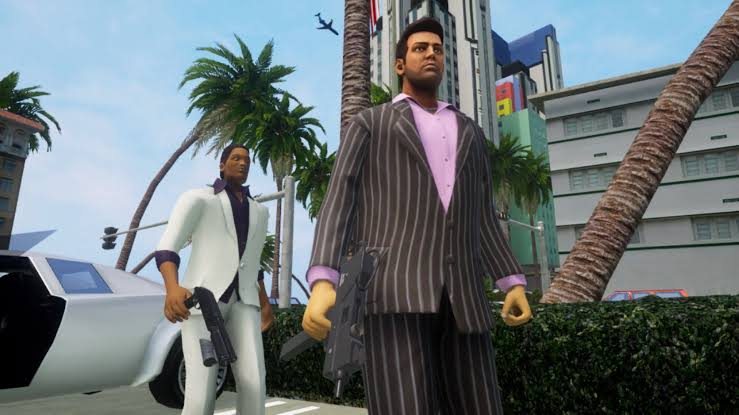
Official updates are distributed through Rockstar Games and authorized gaming platforms. They are designed for supported editions and can address problems identified during development or reported by players. These releases are generally the preferred option because their installation procedures and compatibility information are connected to the original game distribution service. Players who regularly enjoy GTA Online should be especially careful about modifying essential game files or using tools that interfere with online functionality.
Third-party patches and community modifications can provide additional customization, compatibility improvements, and solutions for specific technical problems. However, their reliability depends on the developer, source, and supported game version. Some downloads may contain unwanted software or outdated files that cause unexpected crashes. Before installing community modifications, investigate their reputation and read the available documentation. Never share your Rockstar account credentials with unfamiliar websites or download tools promising unauthorized advantages in multiplayer sessions.
How to Check Your GTA Game Version and Update Status
Knowing your installed game version makes it easier to determine whether your installation is up to date. Start by opening the platform where you purchased the game and checking its information or settings. Depending on the edition, version details may also appear within the game’s menus or technical information. Remember that different PC editions and console releases can have separate update histories, so comparing unrelated version numbers may lead to incorrect conclusions.
After identifying your version, compare it with the official Rockstar Games update information for your platform. If an update is available, follow the instructions provided by your distribution service instead of downloading a separate executable from an unfamiliar website. A GTA Patch may already have been downloaded automatically, which explains why no additional update appears. Restarting the launcher and checking its download settings can help resolve situations where the displayed update status seems incorrect.
Conclusion
Grand Theft Auto updates play an important role in maintaining compatibility, correcting technical problems, and improving the overall gaming experience. From GTA V and GTA Online to older releases such as GTA San Andreas and GTA IV, understanding update requirements helps players avoid unnecessary installation errors. Reading patch notes, checking supported platforms, and using authorized download services are practical habits that make game maintenance easier and safer.
Choosing a reliable GTA Patch source is just as important as installing the update itself. Rockstar Games Launcher, Steam, Epic Games Launcher, and official console update systems should be your first choices whenever supported updates are available. Always confirm your game edition, review the release information, and follow the recommended installation procedure. These simple practices can help protect your installation and keep your favorite Grand Theft Auto games ready for the next adventure.
Frequently Asked Questions
What is a GTA patch?
It is a game update that can correct bugs, improve compatibility, address performance problems, and introduce additional features.
Where can I download the latest GTA patch?
Use Rockstar Games Launcher, Steam, Epic Games Launcher, or the official update system on your PlayStation or Xbox.
Are GTA patches free to download?
Official updates are generally free for players who already own the supported Grand Theft Auto game.
How do I fix a GTA update that is stuck?
Check your internet connection, restart your launcher, verify available storage, and use the platform’s repair feature if necessary.
Can a GTA patch cause game crashes?
Although updates are designed to improve games, compatibility problems or damaged files can sometimes cause crashes. Verify your installation and consult official support.
You May Also Read: GTA Character Creation