GTA Vice City Online: Play Free in Your Browser (No Download)

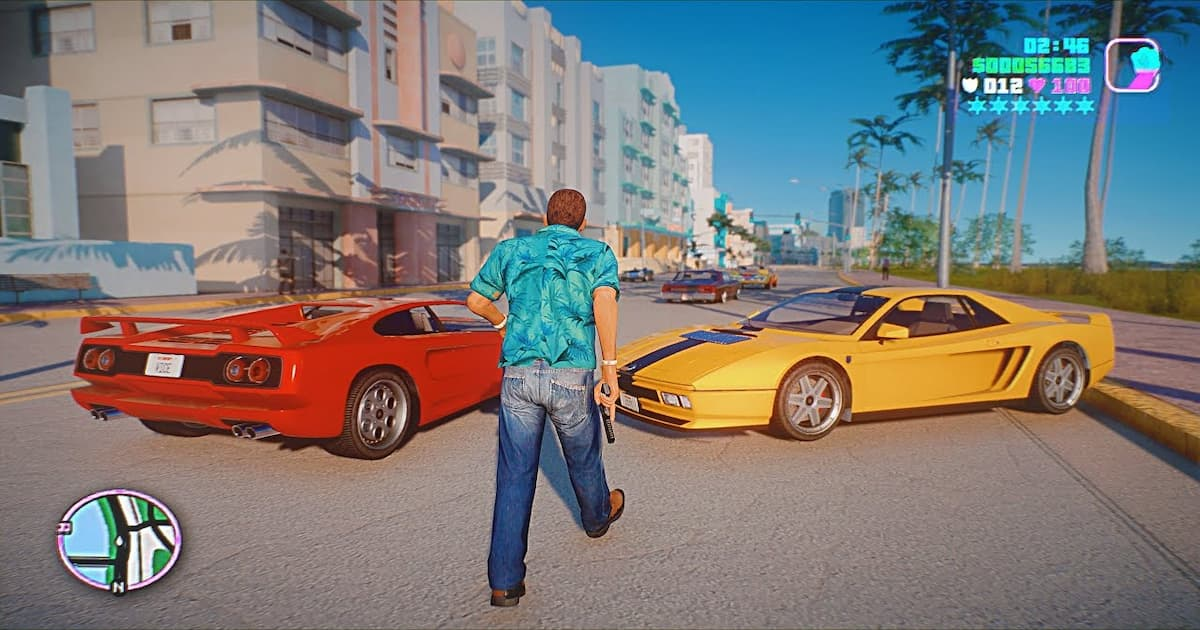
GTA Vice City Online gives players an opportunity to explore the legendary streets of Vice City through browser-based gaming experiences. Inspired by the atmosphere of 1980s Miami, Grand Theft Auto: Vice City combines open-world exploration, exciting missions, fast cars, and unforgettable characters. Players can cruise along sunny beaches, discover hidden locations, escape police pursuits, and experience the freedom that made this classic game so popular. Browser-based versions appeal to people who want convenient access to familiar gameplay without installing a traditional desktop game.
Many players search for GTA Vice City Online because they want to start playing quickly on a computer or mobile device. Depending on the website, a browser version may offer recognizable locations, vehicle controls, mission activities, and some original gameplay features. However, different projects provide different experiences, and not every website offers the complete original game. Understanding how browser ports work, which devices they support, and how they handle saved progress can help you choose a suitable option before starting your adventure.
How to Play GTA Vice City Online in Your Browser
Playing GTA Vice City Online through a browser can be straightforward when you select a compatible gaming website. Open the website, locate the game, and follow its instructions to begin loading the available version. Some browser ports use technologies such as WebAssembly and WebGL to run compatible game engines within modern browsers. Once the necessary resources have loaded, you may be able to start playing without installing a conventional desktop launcher or configuring a complicated setup.
For a smoother experience, use an updated browser and a reliable internet connection. Close unnecessary applications if your computer has limited memory, and allow the game enough time to finish loading before refreshing the page. Certain versions may require additional files or specific setup steps, so read the website’s instructions carefully. Before choosing a browser game, check whether it supports your operating system, preferred controls, and desired gameplay features. These simple preparations can reduce loading problems and help you enjoy your time in Vice City.
Best Websites to Play GTA Vice City Online
Several third-party websites advertise browser-based versions of Vice City, including Quenq and various online gaming portals. These websites may provide different versions of the game, so it is important to examine what each one actually offers. Some pages launch a playable experience directly in the browser, while others may provide demonstrations, modified versions, or links to external services. Checking the available features before starting helps you avoid websites that do not match your expectations.
When comparing websites for GTA Vice City Online, consider loading speed, controller support, saving options, and compatibility with your device. Review the site’s privacy policy and look for clear information about its operators and the source of its game content. Avoid pages that request unnecessary permissions, encourage suspicious downloads, or ask for sensitive account details. Remember that a game appearing in search results does not automatically mean it is an official Rockstar Games product or that its operators have permission to distribute every part of the original game.
GTA Vice City Online: Can You Play Without Downloading?
One of the main attractions of GTA Vice City Online is the possibility of starting a game without installing a traditional desktop application. Certain browser-based ports can run compatible game engines directly within a webpage, allowing players to access the experience after the required resources have loaded. This approach can be convenient for people who want to try a game without managing a separate installer or dedicating time to a conventional setup process.
However, playing without a manual installation does not mean that no data is downloaded. Browser games may still retrieve large resource files, use temporary storage, or require additional components before they become playable. Loading time depends on your internet connection, device performance, browser capabilities, and the specific version available. Some websites also impose technical limitations or require files from a legally obtained copy of the game. Check the site’s instructions rather than assuming every version offers the complete original experience instantly.
GTA Vice City Online Controls and Gameplay
The classic Vice City experience centers on exploration, driving, missions, and encounters throughout a sprawling fictional city. Players can move through neighborhoods, enter vehicles, travel between locations, and take on activities that reveal more of the game’s world. Browser ports may reproduce many familiar mechanics, although the available missions, graphics, and controls can vary according to the project. Learning the basic controls before beginning a challenging activity makes the experience more enjoyable and reduces unnecessary mistakes.
On desktop computers, movement commonly uses the W, A, S, and D keys, while additional keys control actions such as jumping, entering vehicles, or interacting with the environment. Some browser versions also support a mouse or compatible game controller. The exact layout depends on the version, so check the instructions displayed on the game page before playing. If your character or vehicle does not respond, click inside the game window and confirm that the browser is registering keyboard input correctly.
Can You Play GTA Vice City Online on Mobile?
Players who prefer smartphones may find browser-based Vice City experiences that work on mobile devices. These versions can be convenient because they do not always require a separate application installation, allowing users to explore available gameplay through a compatible mobile browser. However, support varies between projects, and a website that works well on a desktop computer may not provide a comfortable experience on a phone.
For better results, check whether the game supports touchscreen controls and whether the website recommends a particular browser. A phone with sufficient memory and processing power will generally handle demanding browser games more comfortably than a device with limited resources. Landscape orientation may improve visibility when supported, especially during driving and action sequences. If the browser version does not respond properly or performs poorly, consider a compatible official mobile release instead of repeatedly trying to force an unsupported website to work.
GTA Vice City Online Multiplayer: Play With Friends
The phrase GTA Vice City Online can suggest that players will automatically meet other people inside a shared game world. In reality, many browser-based versions provide single-player gameplay, meaning you can explore the city and complete activities without interacting with other players in real time. A game running through the internet is not necessarily a multiplayer game, so checking its features is essential before expecting to race friends or join a shared server.
Players interested in multiplayer experiences should investigate community projects and modifications designed specifically for compatible PC versions of Vice City. Depending on the project, these may offer activities such as racing, role-playing, competitive matches, and shared exploration. They can also require an existing game installation, extra software, and access to supported servers. Before installing a modification, review its current documentation, compatibility requirements, and reputation. Do not assume that a browser port supports multiplayer simply because its website describes the experience as online gaming.
GTA Vice City Online System Requirements and Compatibility
A compatible browser and a reasonably capable device are useful starting points for playing browser-based games. Technologies such as WebAssembly and WebGL allow supported game engines to run inside modern browsers, but the resulting performance depends on memory, graphics processing, processor speed, and the size of the game resources. A powerful computer may load a demanding browser port more comfortably than an older device, although the requirements differ between projects.
If GTA Vice City Online runs slowly, update your browser and close applications that consume substantial system resources. Check whether hardware acceleration is available and enabled, and make sure your device has sufficient free memory. A stable internet connection can improve the initial loading process, although it cannot fix every performance issue. Some browser builds may also have limitations involving sound, graphics, controller inputs, or frame rates. Reviewing the project’s compatibility notes can help you determine whether a problem comes from your device or the game itself.
How to Save Progress in GTA Vice City Online
Saving your progress is important if you plan to return to the game later. Some browser ports include a save system that stores progress locally, while others provide options to export and import compatible save files. These features can make it easier to continue missions or move a supported save between sessions. However, saving methods are not standardized, and some browser versions may provide limited or no persistent progress storage.
Before closing GTA Vice City Online, check whether the game has a save option and confirm that the operation finishes successfully. Avoid clearing browser data without understanding how the website stores your progress, because removing local storage or site data can erase saved information. If the project supports save-file exports, keep a backup in a safe location and follow its instructions when restoring progress. Never assume that a save from one version will automatically work with another browser port or an official release.
Is GTA Vice City Online Safe and Legitimate?
Not every website offering GTA Vice City Online is affiliated with Rockstar Games. Some browser experiences are community-created projects, and their operators may have different approaches to distributing files, collecting information, displaying advertisements, and supporting users. A professional-looking website alone does not prove that its game is official, authorized, or safe to use. Taking a few moments to evaluate the source can reduce the risk of encountering misleading pages or unwanted software.
Choose websites that provide clear information about their services, privacy practices, and game requirements. Avoid downloading unknown executable files, installing unexpected browser extensions, or granting permissions unrelated to playing a game. Never provide passwords or sensitive personal information to an unrelated gaming page. For official product information and supported releases, consult Rockstar Games or an established authorized storefront. Remember that an unofficial browser version may become unavailable at any time, and its appearance in search results does not establish that the publisher has approved it.
GTA Vice City Online vs. the Official Game
Browser-based gaming offers convenience because some versions can be accessed without following a traditional installation process. This can appeal to players who want to explore familiar locations quickly, test a game on a compatible device, or enjoy a short session without managing a separate application. Nevertheless, browser ports may differ from the original game in terms of missions, performance, controls, graphics, saved progress, and available features.
An official release may offer a more predictable installation process and support appropriate to its platform, although features differ between editions. If you want the most consistent experience, compare available releases and verify their compatibility with your computer, console, or mobile device. It is also important to distinguish GTA Vice City Online browser experiences from GTA Online, which is a separate multiplayer experience associated with Grand Theft Auto V. The similar names can cause confusion, but the games serve different purposes.
GTA Vice City Online Troubleshooting Tips
Loading problems can occur when a browser game requires substantial resources or encounters compatibility issues. If the page remains stuck on a loading screen, check your internet connection, wait for the initial process to finish, and then consider refreshing the page. Restarting the browser can sometimes resolve temporary errors, but avoid clearing saved data unless you understand how that action may affect your progress. If the website reports an outage, the issue may be outside your control.
If the controls stop responding, click inside the game window and check whether keyboard or controller inputs are being detected. For black screens or poor graphics performance, verify browser compatibility and check whether WebGL and hardware acceleration are available. Close unnecessary tabs if your device is low on memory. When the problem continues, consult the project’s help documentation or consider a different reputable way to play. Repeatedly refreshing an incompatible version is unlikely to resolve a fundamental technical limitation.
Best Tips for Enjoying GTA Vice City Online
Start by learning the movement and driving controls before attempting difficult missions or exploring heavily populated streets at high speed. Take time to discover the city’s neighborhoods, roads, and landmarks, and experiment with different vehicles when the game allows it. Exploring without rushing can make the experience more enjoyable while helping you understand how the game world is organized. Beginners may also benefit from learning how the available save system works before investing significant time in a mission.
Choose a browser version that matches your device, preferred controls, and expectations for gameplay. If you enjoy using a controller, check compatibility before starting, and save progress regularly when the feature is available. Avoid unfamiliar downloads and do not assume that every site offers the complete original game. By prioritizing compatibility, safe browsing, and reliable saving options, you can spend more time exploring Vice City and less time troubleshooting technical problems.
Conclusion
GTA Vice City Online provides several possible ways to experience the atmosphere and open-world gameplay associated with the classic Grand Theft Auto title. Depending on the project, players may be able to explore the city, drive vehicles, complete missions, and access familiar mechanics through a browser without installing a conventional desktop launcher. The exact experience varies, so checking a website’s features and requirements is important before beginning.
For the best experience, use a compatible browser, confirm that the website is trustworthy, and understand how progress is saved. Remember that browser-based ports are not necessarily official Rockstar releases, and single-player browser games are different from genuine multiplayer modifications. Whether you want a quick browser session or a more complete version of the original game, choosing a suitable and legitimate option will help you enjoy Vice City’s distinctive world.
Frequently Asked Questions
Can I play GTA Vice City Online for free in my browser?
Some third-party websites offer browser-based versions without charging for access, but availability, features, and terms vary.
Can I play GTA Vice City Online without downloading anything?
Some versions do not require a manual installation, although your browser may still download game resources before gameplay begins.
Can I play GTA Vice City Online on my phone?
Some browser ports support mobile devices, but touchscreen controls and performance depend on the website, browser, and phone.
Can I play GTA Vice City Online multiplayer with friends?
Most browser ports focus on single-player gameplay. Multiplayer generally requires a separate compatible community project or modification.
Is GTA Vice City Online an official Rockstar Games release?
Browser-based versions are generally unofficial projects unless Rockstar explicitly identifies a particular release as official.
You May Also Read: Rockstar games gta 6 delay