GTA V Mods: 25 Best Free Mods to Download for PC in 2026
Grand Theft Auto V continues to attract millions of PC players because of its massive open world, exciting missions, realistic environments, and endless opportunities for customization. Even years after its original release, the game remains popular among players who want something beyond the standard Story Mode experience. Its active modding community continues to introduce creative improvements, allowing players to explore Los Santos in completely different ways.
GTA V Mods provide opportunities to transform almost every part of the gaming experience, from realistic graphics and luxury vehicles to improved police behavior, advanced combat systems, and entirely new gameplay features. Whether you enjoy exploring beautiful landscapes, driving supercars, completing challenging missions, or experiencing realistic city life, the right modifications can make the game more entertaining. This guide explores 25 popular options, installation tools, trusted download sources, and important safety considerations for PC players in 2026.
What Are GTA V Mods and How Do They Work?
Modifications are community-created files that change existing game features or introduce additional content. Developers and gaming enthusiasts create these files to improve visual quality, adjust gameplay mechanics, replace vehicles, customize characters, and introduce new activities. Some modifications make small adjustments, while others completely transform the appearance and behavior of the original game.
GTA V Mods generally fall into several categories, including graphics modifications, vehicle replacements, script-based additions, map expansions, and gameplay improvements. Some require additional frameworks to function correctly, while others can be installed by copying files into specific game directories. Understanding these categories helps players choose suitable modifications, avoid unnecessary downloads, and maintain a stable installation. Most traditional community modifications are intended for PC Story Mode rather than official GTA Online sessions.
25 Best Free GTA V Mods to Download for PC in 2026
Choosing suitable modifications depends on your interests, computer specifications, and installed game edition. Some players prioritize impressive graphics, while others prefer realistic vehicles, police activities, survival challenges, or additional customization options. A balanced selection can make Los Santos feel like a completely different gaming environment.
The following recommendations cover several popular modding categories. Availability, installation requirements, and compatibility can change when developers update their projects or Rockstar releases game updates. Always visit the original creator’s download page before installation, check whether the files are free, and confirm that the modification supports your version of the game.
Best Graphics and Visual Mods
NaturalVision Evolved is a well-known visual modification designed to improve the atmosphere of Los Santos through enhanced lighting, weather, reflections, and environmental details. VisualV is another popular option for players who prefer improvements to colors, lighting, and weather without necessarily choosing an extremely demanding graphics overhaul. Both projects demonstrate how visual modifications can change the overall appearance of familiar locations.
Other options worth exploring include GTA V Redux, LA Roads, and Forests of San Andreas. These projects focus on different aspects of visual presentation, including environmental textures, road appearance, vegetation, and weather effects. Before choosing a graphics package, compare screenshots and performance requirements. High-resolution textures and advanced lighting can demand considerable graphics memory, particularly when several visual modifications are installed together.
Best Vehicle and Car Mods
Vehicle modifications are among the most attractive additions for players who enjoy driving around Los Santos. Custom car modifications can introduce vehicles inspired by luxury manufacturers, sports cars, racing machines, motorcycles, and specialized transportation. Many community-created vehicles include detailed interiors, realistic exterior designs, custom handling, and improved lighting that make driving more enjoyable.
Add-on vehicle packs, custom supercar modifications, realistic police vehicles, motorcycle packages, and emergency service vehicles provide plenty of variety. Add-on installations can be particularly useful because they introduce additional vehicles instead of replacing existing ones. However, players should check installation instructions, vehicle limits, handling requirements, and compatibility before downloading large collections. A carefully selected vehicle collection can create a more personalized driving experience without unnecessarily replacing the entire original garage.
Best Gameplay and Realism Mods
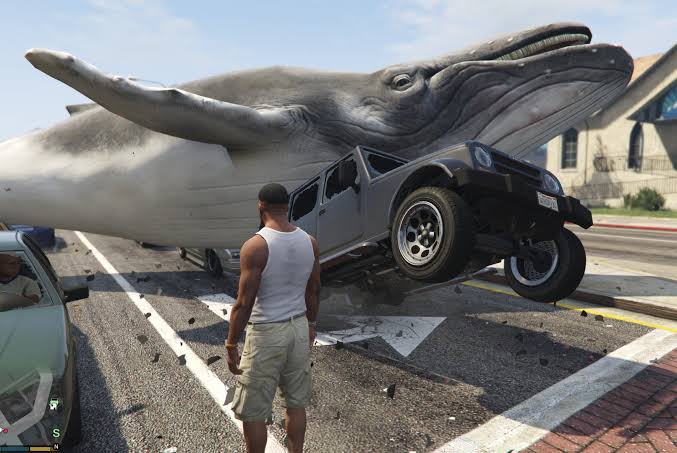
Players who want a more immersive experience can explore gameplay modifications that improve driving, character reactions, environmental interactions, and survival mechanics. Realistic Driving V focuses on changing vehicle handling, while Euphoria-based ragdoll modifications aim to improve physical reactions. Better Deformation modifications can also change how vehicles appear after collisions, creating more convincing damage during accidents.
Fuel Script V introduces fuel-related mechanics that can add another responsibility to everyday driving. Simple Zombies offers a different experience by introducing survival-oriented gameplay into the familiar world. These modifications are especially interesting for players who enjoy experimenting with alternative challenges rather than repeating standard missions. Check individual descriptions carefully because similarly named projects may have different features, requirements, and compatibility limitations.
Best Police and Emergency Mods
Police modifications provide an opportunity to experience Los Santos from a different perspective. LSPDFR, also known as Los Santos Police Department First Response, is one of the best-known community projects in this category. It allows compatible installations to introduce police patrol activities, emergency responses, traffic stops, and other law enforcement scenarios. Players interested in realistic policing can build an entirely different Story Mode experience around these features.
Additional projects include Stop The Ped, Ultimate Backup, Police SmartRadio, and CompuLite. These modifications provide supporting features for compatible police gameplay installations, including additional interactions, backup management, radio controls, and computer-based information systems. Some require specific versions of LSPDFR or additional dependencies, so installing them without checking requirements can cause errors. Always follow the original developers’ instructions and confirm compatibility before combining multiple police modifications.
Best Script and Mission Mods
Script modifications can introduce new activities and customization options that go beyond ordinary visual improvements. Menyoo is a popular trainer and scene-customization tool that can help players spawn vehicles, manage objects, adjust weather, and experiment with different environments. Simple Trainer offers another collection of customization features, although available functions depend on the installed version and supported game build.
Map Editor allows players to experiment with custom environments and object placement, while Open All Interiors focuses on making additional interior locations accessible in compatible installations. Mission and story modifications can also introduce new objectives and challenges. Players should distinguish between actual gameplay expansions and supporting utilities because tools such as trainers and editors do not automatically provide complete missions or new story campaigns.
Essential Tools Required to Install GTA V Mods on PC
Before installing modifications, players should understand the supporting utilities commonly used by the modding community. Script Hook V provides functionality required by many ASI-based scripts and trainers. OpenIV has traditionally been used to manage GTA V archives and install certain file replacements, particularly with Legacy installations. These tools perform different functions, so players should not assume that installing one automatically makes every modification work.
Other utilities include Script Hook V .NET, Game Config, Heap Adjuster, and Packfile Limit Adjuster. Certain modifications require one or more of these tools to function correctly or manage additional game content. Requirements vary considerably between projects and game editions. Download utilities from their original developers whenever possible, read compatibility notes, and avoid installing unnecessary components that could create conflicts or reduce game stability.
How to Download and Install GTA V Mods on PC
The installation process begins with identifying your GTA V edition and checking its current executable version. Legacy and Enhanced installations can require different files and workflows, so downloading a modification without checking compatibility may lead to crashes or missing features. Before making changes, create a complete backup of important original files and keep a clean installation available for troubleshooting.
Next, visit a trusted modification website, select your preferred project, and carefully read its installation instructions. Download the required dependencies, extract the files when necessary, and place them in the specified directories. Some modifications use script folders, while others require archive editing or additional loaders. Install one modification at a time, launch Story Mode, and test its functionality before introducing another project. This approach makes installation problems easier to identify and resolve.
Best Websites to Download Free GTA V Mods
GTA5-Mods.com is one of the most recognized community destinations for discovering modifications. It offers different categories covering vehicles, scripts, maps, characters, and visual improvements. Players can browse featured files, explore recently uploaded projects, and compare community feedback before selecting a download. Reading the description and installation requirements is important because not every file supports every game version.
Nexus Mods and GTA5mod.net are additional websites worth exploring for community-created content. They provide access to different collections of modifications, although the selection and update frequency can vary. Before downloading, inspect the creator’s information, available screenshots, file details, and compatibility notes. Avoid misleading advertisements and suspicious download links. Choosing established sources and following the original creator’s instructions can reduce unnecessary security and installation problems.
GTA V Legacy vs Enhanced: Which Mods Should You Choose?
GTA V Legacy and Enhanced are separate PC editions with differences in technical features and compatibility. Legacy has a more established traditional modding ecosystem, meaning many older modifications and supporting utilities were originally developed for this version. Players using Legacy can find a wide selection of community-created vehicles, scripts, visual improvements, and gameplay additions.
Enhanced introduces updated technical features and requires players to pay closer attention to edition-specific support. A modification designed for Legacy should not automatically be expected to work with Enhanced. Before installing anything, check the developer’s supported editions, game build requirements, and recommended dependencies. Choosing compatible files is one of the most important steps toward maintaining a reliable installation and avoiding repeated crashes or configuration problems.
Are GTA V Mods Safe? Important Security and Account Protection Tips
Community modifications can improve gaming experiences, but downloading files from unknown websites introduces potential security risks. Suspicious executable files, misleading installers, and modified archives may contain unwanted software. Players should prefer established platforms, check creator information, and avoid downloads that request unnecessary personal details. Keeping antivirus protection active and scanning unfamiliar files can provide another layer of protection.
Online account safety is equally important. Rockstar uses BattlEye anti-cheat protection for GTA Online, and unauthorized modifications can create account-related risks. Keep modified gameplay separate from official multiplayer sessions, follow Rockstar’s current requirements, and never attempt to bypass anti-cheat protections. Maintain backups of original game files so that unwanted modifications can be removed without reinstalling everything. Responsible installation helps protect both your computer and your gaming account.
How to Fix Common GTA V Mods Problems
One common problem occurs when the game crashes after installing a new modification. This can happen because a supporting framework is outdated, files are installed in the wrong directory, or two modifications conflict with each other. Check the original developer’s instructions and confirm that every required component supports your installed game build. Temporarily removing the most recently installed modification can help identify the source of the problem.
Other issues include missing vehicles, broken textures, reduced frame rates, and modifications that fail to appear in Story Mode. These problems may involve incorrect installation paths, missing dependencies, incompatible game editions, or demanding graphics settings. Install modifications individually, review configuration requirements, and avoid combining several large visual packages without checking their compatibility. If troubleshooting becomes difficult, restoring your original backup is often safer than making additional unverified changes.
Conclusion
Grand Theft Auto V remains an exciting platform for PC customization because its community continues to explore new ways of improving the original experience. From impressive visual overhauls and custom vehicles to police activities, survival challenges, and additional gameplay mechanics, players have many opportunities to make Los Santos feel fresh and entertaining. Choosing the right modifications depends on personal interests, hardware capabilities, and compatibility requirements.
The best approach is to start with a small collection of trusted projects and install them carefully. Check whether each download supports Legacy or Enhanced, follow the original creator’s instructions, and maintain backups before changing important game files. With sensible preparation and compatible downloads, GTA V Mods can transform Story Mode into a more personalized experience throughout 2026.
Frequently Asked Questions
Are GTA V mods free to download?
Many community-created modifications are available without charge. However, some creators offer optional premium versions, memberships, or donations for additional content and development support.
Can I install GTA V mods on PC?
Yes, PC players can install compatible modifications using supporting tools and the installation instructions provided by individual developers. Requirements vary depending on the modification.
What is the best website for GTA V mods?
GTA5-Mods.com is a popular destination for vehicles, scripts, maps, and other community-created content. Nexus Mods is another useful source.
Do GTA V mods work with Enhanced?
Some modifications support Enhanced, but compatibility depends on the specific project, supporting framework, and installed game version. Always check the developer’s documentation.
Can I get banned for using GTA V mods online?
Unauthorized modifications in GTA Online can result in account suspensions or bans. Keep modifications restricted to compatible single-player experiences and follow Rockstar’s online policies.
You May Also Read: GTA 4 Screenshots