Grand Theft Auto 2 Download for PC: Free Game, Gameplay and Installation Guide
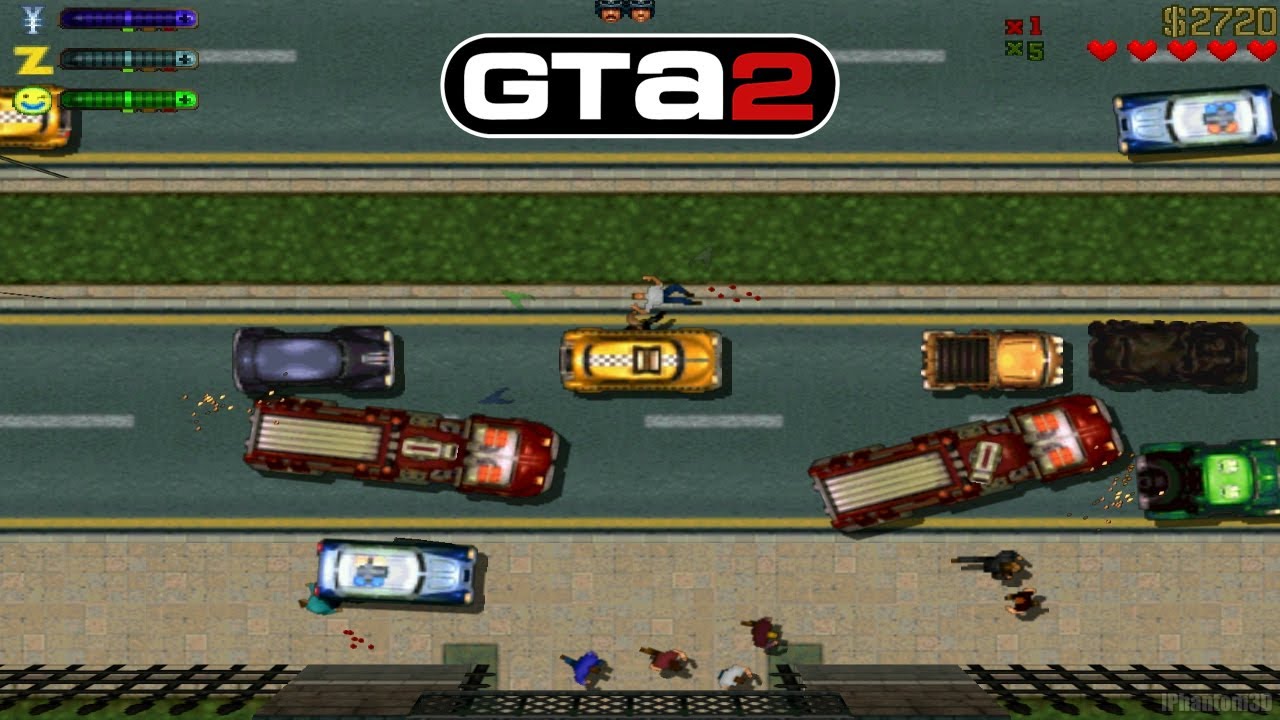
Grand Theft Auto 2 Download is a popular search among gamers who want to experience the classic crime-action game that helped shape the future of open-world gaming. Released in 1999, Grand Theft Auto 2 introduced players to an exciting urban environment filled with vehicles, rival gangs, criminal missions, and intense police pursuits. Developed by DMA Design and published by Rockstar Games, this memorable title offers a different experience from modern Grand Theft Auto games, combining a distinctive top-down perspective with fast-paced arcade action and considerable freedom.
Although contemporary games feature realistic graphics and expansive three-dimensional environments, GTA 2 continues to attract players who appreciate retro gaming and classic action adventures. Its colorful city districts, unpredictable encounters, and reputation-based gang system create an engaging experience that rewards experimentation. Whether you are revisiting the game for nostalgia or discovering it for the first time, understanding its features, download availability, installation process, and Windows compatibility can help you enjoy this legendary title safely and conveniently.
What Is Grand Theft Auto 2?
Grand Theft Auto 2 is an open-world action-adventure game set in the fictional city of Anywhere City. Unlike later entries in the franchise, it uses a top-down camera that allows players to observe the surrounding streets while driving vehicles, exploring neighborhoods, completing missions, and escaping law enforcement. The game emphasizes freedom and experimentation rather than following a strictly linear storyline. Players can move through the city, discover different activities, and decide how to approach the challenges presented by the criminal underworld.
One of the game’s most distinctive features is its relationship system involving rival gangs. Players can complete assignments for different organizations, earn money, and influence how various groups respond to their actions. Helping one gang may damage relationships with its rivals, creating additional challenges during missions. This mechanic gives the gameplay a strategic dimension that complements its fast-paced action. For fans researching Grand Theft Auto 2 Download, these classic mechanics explain why the game remains an interesting part of gaming history decades after its original release.
Grand Theft Auto 2 Download for PC: Is It Free?
Players searching for Grand Theft Auto 2 Download should understand that current availability depends on the distributor, platform, and applicable licensing arrangements. Although the game has appeared on various websites and software archives over the years, not every website offering a free copy has permission to distribute it. A download being labeled free does not automatically establish that it is authorized or safe. Checking the publisher’s official website and reviewing trustworthy archive information can help you determine which options are legitimate.
Before downloading the game, investigate the source’s reputation, read its distribution terms, and review the information supplied with the files. Avoid websites that require unfamiliar download managers, request unnecessary permissions, or encourage you to disable your security software. You should also be cautious about modified installers that promise special features without explaining what has been changed. If an authorized copy is available, follow the distributor’s instructions and retain any relevant documentation. Taking these precautions helps you avoid unnecessary security problems while exploring options for playing this classic PC game.
How to Download Grand Theft Auto 2 on Windows
To begin the Grand Theft Auto 2 Download process, first check the official Rockstar Games website and reputable software archives for current availability. Confirm that the version offered is appropriate for your Windows computer and that the source clearly explains its licensing or distribution rights. Read the installation instructions before obtaining any files, particularly if the game is provided as a compressed archive rather than a conventional installer. This preparation makes the process easier to understand and reduces the chance of installing unwanted software accidentally.
After obtaining the files from a trustworthy source, scan them with reputable security software before opening them. If the download is compressed, use a reliable extraction program and follow the provider’s documented installation procedure. Once installation is complete, locate the game’s executable file and try launching it normally. If the game does not start, investigate compatibility settings and consult reliable troubleshooting documentation. Avoid downloading replacement executable files from unfamiliar websites, as these can introduce malware or cause additional technical problems instead of fixing the original issue.
Grand Theft Auto 2 System Requirements
Grand Theft Auto 2 was originally designed for computers from the late 1990s, meaning its historical hardware requirements are modest compared with those of modern PC games. However, an older game does not necessarily run perfectly on every contemporary computer. Changes in Windows, display technology, security settings, and software compatibility can affect installation and performance. Before downloading a particular version, review the system requirements published by its distributor rather than assuming that every available release will work identically.
When checking compatibility, consider your operating system, processor, available memory, storage space, and display configuration. Modern computers will generally offer far more processing power than the original game required, but older installers or graphics settings may still cause difficulties. Users running Windows 10 or Windows 11 should pay particular attention to documented compatibility information for their specific version. If additional configuration is necessary, consult trustworthy technical resources before making changes. This approach helps you prepare your computer and avoid unnecessary downloads when trying to run a classic game.
Grand Theft Auto 2 Gameplay and Main Features
The gameplay is built around exploration, vehicle theft, criminal assignments, and fast-paced encounters with law enforcement. Players navigate the city from a top-down perspective, allowing them to observe nearby roads, vehicles, pedestrians, and potential threats. Missions often require players to travel to particular locations, complete objectives, and escape dangerous situations. Driving plays a central role because vehicles provide transportation and can become essential tools for completing assignments. The combination of exploration and action gives the game an energetic rhythm that remains recognizable to fans of classic arcade-style adventures.
Another important feature is the interaction between missions, money, and gang reputation. Players can choose assignments from different organizations, but their decisions may affect how other groups react. Hostile gangs can create additional obstacles, making certain routes or missions more difficult. Police pursuits also add tension, particularly when players attract attention while moving through busy streets. These connected systems give GTA 2 considerable replay value because different decisions can lead to different encounters. For anyone considering Grand Theft Auto 2 Download, understanding these features provides a useful introduction to the experience waiting inside the game.
Exploring Anywhere City and Its Rival Gangs
Anywhere City provides the setting for the game’s criminal activities and is divided into three main districts: Downtown, Residential, and Industrial. Each area has its own atmosphere, streets, and challenges, giving players different environments to explore. Moving between districts introduces new opportunities for missions and encounters, while learning the layout makes navigation more efficient. Rather than relying on a conventional cinematic presentation, the game allows players to discover much of its world through movement and interaction. This design encourages curiosity and makes exploration an important part of the overall experience.
The gangs operating throughout the city give missions an additional layer of strategy. Building a positive reputation with one organization can make its members more cooperative, while antagonizing a rival may lead to hostile encounters. Players must therefore consider the consequences of their actions instead of treating every assignment as an isolated objective. Understanding these relationships can make navigating the districts easier and help players approach missions more thoughtfully. The combination of urban exploration, competing organizations, and unpredictable encounters contributes significantly to the game’s distinctive identity within the Grand Theft Auto franchise.
How to Install and Run GTA 2 on Modern Windows PCs
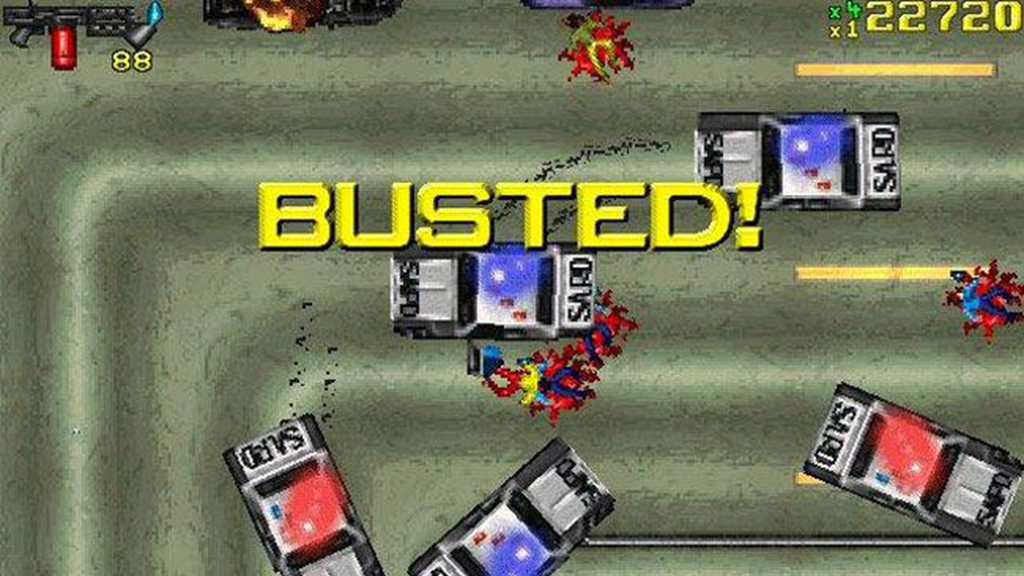
Installing an older PC game on a modern Windows computer can require more attention than installing a recent release. If your copy of GTA 2 includes a traditional installer, follow its documented instructions and check that the installation finishes without errors. If the files arrive in a compressed archive, extract them using trusted software before attempting to launch the game. Keep the original files available until you have confirmed that the game starts correctly. These simple steps can help you identify installation problems without introducing unnecessary changes to your computer.
If the game fails to launch, check the executable’s properties and investigate whether compatibility settings are recommended for your version. Display problems may require a documented resolution adjustment or another version-specific configuration. If the game crashes, verify that the installation files are complete and review reliable community guidance for the exact error. Avoid downloading unknown DLL files, unofficial executable replacements, or suspicious patches. A careful troubleshooting process is safer and more effective than applying several unverified fixes at once, especially when working with software originally created for older operating systems.
Is Grand Theft Auto 2 Safe to Download?
The safety of a game download depends largely on where the files come from and whether they have been altered. Untrustworthy websites sometimes distribute installers bundled with unwanted applications, deceptive advertisements, or malicious software. Before opening a downloaded file, investigate the source and scan the file with reputable security software. Check whether the website provides clear information about the publisher, file contents, and distribution rights. These precautions are especially important for older games because unofficial copies may circulate through multiple websites without reliable information about their origins.
Be cautious if a website asks you to disable antivirus protection, install unrelated applications, or grant unexpected administrative permissions. Password-protected archives from unknown sources and executable files with unexplained names also deserve additional scrutiny. A security warning should not be ignored simply because the download claims to contain a popular classic game. If you cannot establish that a source is trustworthy, look for another legitimate option. Protecting your computer should remain a priority throughout the download and installation process, regardless of how nostalgic or appealing the game may be.
Grand Theft Auto 2 Download Alternatives and Similar Games
If Grand Theft Auto 2 Download is unavailable through a legitimate source, you can investigate other classic entries in the franchise through official publisher listings and authorized digital storefronts. Availability varies by platform and may change over time, so check current product information before purchasing or downloading a game. Earlier Grand Theft Auto titles can offer a similar combination of driving, missions, urban exploration, and criminal storylines, although their presentation and gameplay systems differ. Choosing an alternative depends on whether you prefer retro graphics, more detailed environments, or a more developed narrative.
Players interested in the evolution of open-world gaming may also explore later entries in the series. These titles introduced increasingly detailed cities, expanded mission structures, and new approaches to storytelling. However, the original GTA 2 has its own appeal because of its top-down camera, compact urban districts, and gang reputation mechanics. Comparing different entries can help players understand how the franchise developed over time. Whichever game you choose, prioritize legitimate distribution channels and verify compatibility with your computer before beginning the installation process.
Common Problems and Troubleshooting
Some players may experience problems when installing or launching GTA 2, particularly on newer versions of Windows. If the game does not open, begin by checking whether the installation completed correctly and whether the files are located where the instructions indicate. If you downloaded an archive, confirm that it extracted successfully and that the necessary files are present. Restarting the computer may help resolve certain temporary issues, but persistent errors usually require checking the game’s version, operating system compatibility, or documented installation requirements.
Display problems, unexpected crashes, and missing-file messages may have different causes, so avoid assuming that one solution will fix every issue. Consult reliable documentation that matches your specific version and follow troubleshooting instructions carefully. If security software flags a downloaded file, investigate the warning instead of immediately disabling protection. You should also avoid installing replacement files from unknown sources. Keeping a record of any changes you make can help you reverse unsuccessful adjustments and identify which configuration allows the game to run more reliably.
Tips for New Grand Theft Auto 2 Players
New players should begin by learning the controls and becoming familiar with the streets before attempting challenging missions. Exploring the city can reveal useful routes and help you understand how traffic, vehicles, and police activity affect movement. Driving carefully when approaching unfamiliar areas can reduce unnecessary collisions, while learning alternative streets may make it easier to reach objectives. Taking time to understand the basic mechanics can make the early stages more enjoyable and help you develop confidence before tackling more demanding assignments.
Players should also pay attention to gang reputation and consider how individual missions influence relationships with different organizations. Completing assignments without understanding these consequences can create unexpected hostility and make later encounters more difficult. Experimenting with different approaches can reveal new strategies and increase replay value. It is also helpful to understand the game’s saving options and use them when available. With practice, players can become more comfortable navigating Anywhere City, managing dangerous situations, and enjoying the open-ended action that distinguishes this classic from many modern games.
Conclusion
Grand Theft Auto 2 remains a memorable classic for players interested in the history of open-world action games. Its top-down perspective, distinctive urban districts, rival gang relationships, vehicle-based gameplay, and police pursuits combine to create an experience that differs from later entries in the franchise. Whether you remember playing it years ago or are discovering it for the first time, learning about its mechanics and technical requirements can help you appreciate what made the game distinctive when it was released.
Before proceeding with Grand Theft Auto 2 Download, verify the legitimacy of the source, review the available licensing information, and check compatibility with your Windows computer. Use reputable security software, follow documented installation instructions, and avoid suspicious files or unverified fixes. Although older games can sometimes require additional configuration on modern systems, a careful approach can reduce unnecessary problems. By combining sensible download practices with an understanding of the gameplay, you can explore the world of Anywhere City while appreciating an important chapter in the evolution of the Grand Theft Auto series.
Frequently Asked Questions
Is Grand Theft Auto 2 available to download for free on PC?
Availability depends on current distribution rights and the source. Check official publisher information and reputable archives before downloading.
Where can I find a legitimate Grand Theft Auto 2 download?
Start with Rockstar Games’ official website and investigate reputable archives that clearly explain their distribution rights.
Can I play GTA 2 on Windows 10 or Windows 11?
It may be possible, but compatibility depends on the version, installation method, and system configuration.
What are the main features of Grand Theft Auto 2?
The game includes top-down driving, criminal missions, rival gangs, vehicle theft, city exploration, and police pursuits.
Is Grand Theft Auto 2 safe to download from third-party websites?
Safety depends on the source. Verify its reputation and scan files before installation, avoiding suspicious installers and modified executables.
You May Also Read: Grand Theft Auto Advance