5mods: Best GTA 5 Mods, Free Downloads & Installation Guide
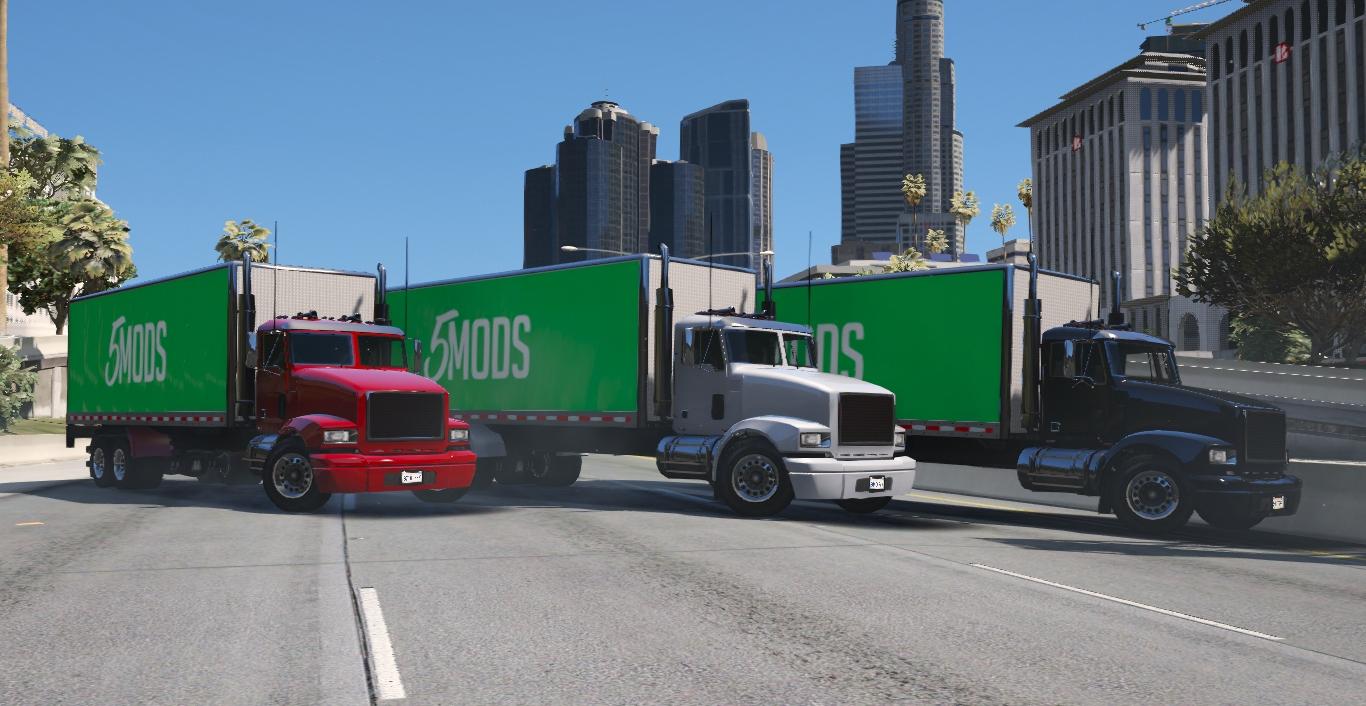
5mods is a popular destination for Grand Theft Auto V players who want to transform their gaming experience with custom vehicles, realistic graphics, exciting gameplay features, and creative modifications. The GTA5-Mods.com platform provides access to thousands of community-created files that allow PC gamers to personalize Los Santos. From luxury sports cars to immersive visual improvements, these modifications introduce fresh possibilities into Rockstar Games’ open-world adventure.
GTA 5 continues attracting modding enthusiasts because of its flexible gameplay and active creative community. Players can discover new vehicles, customize characters, explore additional locations, and experiment with different gameplay mechanics. This comprehensive guide explains how to find reliable modifications, download files safely, install essential tools, and troubleshoot common problems while maintaining a stable and enjoyable gaming experience.
What Is 5mods and How Does It Work?
5mods is commonly associated with GTA5-Mods.com, a community-driven website dedicated to Grand Theft Auto V modifications. The platform allows independent creators to publish custom vehicles, scripts, maps, character models, and visual enhancements. Players can browse different categories, explore screenshots, read descriptions, and discover modifications that match their gaming preferences. Most available content is designed specifically for compatible PC versions of GTA 5.
The website organizes modifications into accessible categories, making it easier to locate specific content. Each download page typically provides installation instructions, file information, and community feedback. Users can review comments and update histories before downloading. This organized approach helps beginners explore the modding community while allowing experienced players to discover additional customization opportunities.
Best GTA 5 Mods Available on 5mods
The 5mods library includes numerous modification categories designed to improve different aspects of Grand Theft Auto V. Vehicle modifications remain especially popular, introducing realistic sports cars, motorcycles, emergency vehicles, trucks, and classic automobiles. These additions allow players to create personalized garages and explore Los Santos using transportation inspired by real-world designs, making ordinary driving activities more entertaining.
Graphics modifications represent another important category, offering improvements to lighting, weather, textures, and environmental details. Players can also discover gameplay scripts that introduce new activities, character interactions, and additional challenges. Map modifications expand exploration opportunities through custom buildings and locations. Choosing compatible modifications helps create an enjoyable experience without unnecessarily compromising performance or stability.
How to Download GTA 5 Mods From 5mods
Downloading modifications from 5mods begins by visiting GTA5-Mods.com and selecting a preferred category. Players can search for specific vehicles, graphics enhancements, scripts, or character models using the website’s search features. Before downloading, carefully examine the modification description, supported game versions, installation requirements, and recent comments to determine whether the file matches your existing setup.
Most modifications arrive as compressed archives containing files and installation instructions. After downloading, extract the archive using a reputable utility and review its contents before making changes. Avoid suspicious executable installers, misleading advertisements, and unofficial download mirrors. Following the creator’s instructions carefully reduces installation mistakes and helps protect your computer from unnecessary security risks.
How to Install GTA 5 Mods on PC
Installing files from 5mods requires a legitimate PC installation of Grand Theft Auto V and the tools specified by each modification. Common utilities include OpenIV, Script Hook V, and ScriptHookVDotNet, although not every modification requires all three. These tools support different installation methods, including custom vehicle files, gameplay scripts, and modifications involving existing game resources.
Before installing anything, create backups of important files and use a dedicated mods folder when supported. Follow the creator’s instructions to place files in the correct directories. Install modifications individually and test them in GTA 5 Story Mode. Avoid using unauthorized single-player modifications in GTA Online, where modified files may violate platform rules.
Is 5mods Safe for GTA 5 Downloads?
5mods provides access to community-created content, but downloading modifications requires sensible security precautions. Although many creators publish legitimate files, community uploads can still contain unwanted software or incompatible components. Review author profiles, recent comments, file descriptions, and update histories before downloading. A modification with clear documentation and active support is generally easier to evaluate and troubleshoot.
Players should also scan downloaded archives with reputable antivirus software and avoid unfamiliar executable installers. Never disable security protections simply because a download page requests it. Maintaining backups protects important game files if something goes wrong. These precautions help reduce unnecessary risks while allowing players to explore community-created content with greater confidence.
Popular GTA 5 Car, Graphics, and Script Mods

Vehicle modifications are among the most recognizable downloads on 5mods. Players can add detailed sports cars, luxury sedans, motorcycles, police vehicles, and other custom transportation options. Some modifications replace existing vehicles, while others introduce additional models through supported installation methods. Checking vehicle compatibility and installation requirements helps prevent missing textures, unexpected crashes, and other technical problems.
Graphics modifications focus on improving visual presentation through lighting adjustments, weather effects, textures, and environmental enhancements. Script modifications can introduce additional gameplay mechanics, missions, and interactive features. However, combining numerous demanding modifications may affect performance. Players should consider their computer’s capabilities and test each addition before expanding their collection.
Common GTA 5 Mod Installation Problems
Players sometimes experience crashes, missing vehicles, broken scripts, or modifications that fail to appear in the game. These problems frequently result from outdated dependencies, incorrect installation folders, conflicting files, or unsupported game versions. GTA 5 updates may also temporarily affect compatibility with certain tools. Reviewing the modification’s documentation is often the fastest way to identify installation requirements.
When troubleshooting, disable recently installed modifications and test the game after each change. Update required tools only when compatible versions are available. If problems continue, restore backed-up files or use the game launcher’s verification feature to repair original resources. Testing modifications individually makes identifying conflicts easier and reduces unnecessary troubleshooting time.
5mods Alternatives and Better Modding Tips
Although 5mods is a recognized resource, players can explore other established GTA 5 modding communities for tutorials, technical discussions, and specialized content. Some platforms focus on vehicles, while others emphasize role-playing, visual improvements, or custom gameplay systems. Comparing documentation and creator support can help players identify modifications that suit their preferences.
Organizing downloaded files by category and version makes long-term maintenance easier. Keep installation instructions, record dependencies, and maintain backups before making major changes. Avoid installing too many modifications simultaneously, especially when they alter similar game systems. A carefully maintained collection usually provides better stability than an overloaded setup containing numerous incompatible files.
GTA 5 Enhanced and Legacy Mod Compatibility
Modern GTA 5 PC players may encounter two different editions: Enhanced and Legacy. These versions can have different technical requirements, meaning modifications designed for one edition may not function correctly with the other. Players should confirm their installed game version before downloading new content, particularly when using scripts, graphics enhancements, or modifications involving game files.
Before installing content from 5mods, review the creator’s compatibility notes and check whether the required tools support your edition. Some modifications may require updates or alternative installation methods. Using edition-specific instructions helps prevent crashes, missing assets, and performance problems. Careful compatibility checks also save time when maintaining a larger collection of modifications.
Conclusion
5mods offers Grand Theft Auto V players numerous opportunities to customize their gaming experience through community-created vehicles, graphics enhancements, maps, and gameplay modifications. Its extensive library makes it possible to transform familiar locations and experiment with creative features. Whether players prefer realistic driving experiences or visually impressive environments, GTA 5 modding provides a flexible approach to personalization.
For the best results, prioritize reliable downloads, compatible files, and correct installation procedures. Maintaining backups, reviewing creator instructions, and testing modifications individually helps protect game stability. With thoughtful preparation and responsible file management, players can enjoy a personalized Grand Theft Auto V experience while exploring the creativity of the PC modding community.
Frequently Asked Questions
What is 5mods?
It refers to GTA5-Mods.com, a community website offering GTA 5 modifications.
Is 5mods free to use?
Yes, many community-created modifications are available as free downloads.
How do I install GTA 5 mods?
Download compatible files, install required tools, and follow the creator’s instructions.
Can I use GTA 5 mods on PS5 or Xbox?
Standard GTA5-Mods.com modifications primarily support PC installations.
Are GTA 5 mods safe to download?
They can be, but always verify sources, scan files, and maintain backups.
You May Also Read: GTA 6 Price