GTAinside: Complete Guide to Free GTA Mods, Downloads & Installation (2026)

Grand Theft Auto has remained one of the most influential open-world gaming franchises, attracting millions of players who enjoy exploring detailed environments, completing missions, and creating unique gameplay experiences. From GTA 5 and GTA 4 to San Andreas and Vice City, every generation has developed a dedicated modification community. Players constantly search for new vehicles, realistic graphics, custom characters, weapons, maps, and additional features that make familiar games feel fresh and exciting.
GTAinside has become a recognizable destination for gamers interested in discovering Grand Theft Auto modifications. The platform organizes community-created content for several popular GTA titles, making it easier to explore different modification categories in one place. Whether you enjoy realistic sports cars, improved textures, classic vehicle replacements, or gameplay enhancements, understanding how the website works can help you discover useful content while avoiding incompatible downloads and unnecessary security risks.
What Is GTAinside and How Does It Work?
GTAinside is an online modification database dedicated to the Grand Theft Auto franchise. It brings together downloadable content created by independent developers and gaming enthusiasts, allowing visitors to explore different modifications according to their preferred game. Its collection includes vehicles, graphics improvements, character designs, maps, weapons, and other creative additions. Rather than searching through unrelated websites, players can browse organized categories and discover modifications designed for particular GTA titles.
The platform covers several generations of Grand Theft Auto, including GTA 5, GTA 4, GTA San Andreas, GTA Vice City, and GTA 3. Each game has its own modification categories, helping users find content that matches their installation. Individual modification pages may include screenshots, descriptions, creator information, and download instructions. These details are important because not every modification works with every game edition, and some projects require additional software or specific installation steps.
Popular GTA Games Available on GTAinside
One major attraction of GTAinside is its coverage of multiple Grand Theft Auto titles. Players who enjoy modern gaming experiences can explore modifications for newer releases, while fans of classic games can discover community projects that improve older environments. This variety makes the platform useful for different types of gamers, including beginners who want simple vehicle replacements and experienced enthusiasts interested in more advanced customization.
The available categories also reflect how the GTA modification community has evolved over the years. Earlier games attracted creators who experimented with vehicles, character models, and CLEO scripts, while newer titles introduced more sophisticated graphics and gameplay modifications. Exploring different game sections can help users discover projects they might otherwise overlook, particularly when returning to older Grand Theft Auto releases.
GTA 5 Mods
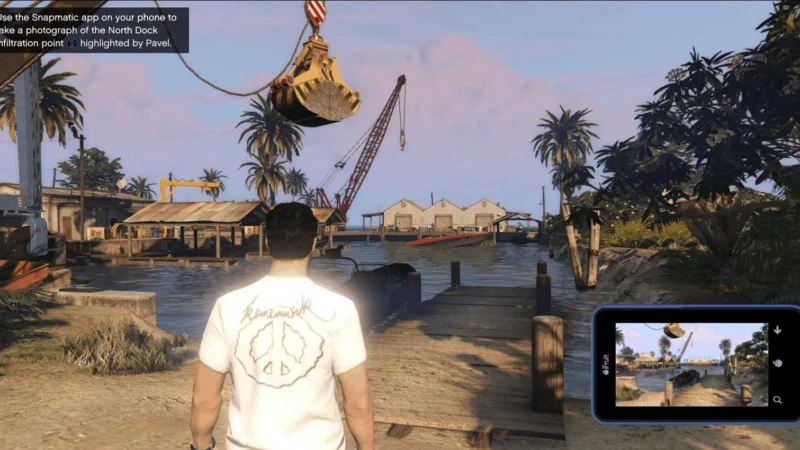
GTA 5 offers extensive modification possibilities on compatible PC installations, which explains why its community continues producing new content. Players can explore realistic vehicles, graphics enhancements, character replacements, custom maps, weapons, and gameplay scripts. Some modifications focus on visual improvements, while others introduce completely different ways to experience Los Santos. Vehicle modifications are especially popular because they allow players to replace familiar cars with detailed models inspired by real-world automobiles.
GTAinside provides a convenient starting point for discovering different GTA 5 modification categories. However, players should check the game version and installation requirements before downloading anything. Traditional third-party modifications are not officially supported through standard Xbox or PlayStation installations, so users should not assume that a PC modification can work on every gaming platform. Checking compatibility first can prevent unnecessary installation problems.
GTA San Andreas Mods
GTA San Andreas remains a favorite among modification enthusiasts because of its recognizable characters, memorable missions, and open-world environment. Its modification community has created an impressive variety of content, including realistic vehicles, custom clothing, character replacements, improved textures, and additional gameplay features. These projects allow returning players to experience familiar locations with a different visual style and new creative possibilities.
Another popular category involves CLEO scripts, which can introduce additional interactions and gameplay mechanics in compatible installations. Some modifications change vehicle behavior, while others introduce special abilities or additional features. Players should always verify the required CLEO version, installation method, and game compatibility before using these files. Following the creator’s instructions is particularly important when modifying older game installations.
GTA Vice City Mods
Vice City is remembered for its colorful atmosphere, iconic soundtrack, and distinctive 1980s-inspired setting. Its modification community continues to produce content that allows players to customize the original experience. Popular projects include classic and modern vehicles, improved character appearances, redesigned textures, new weapons, and environmental enhancements that change the appearance of the city.
Players interested in GTAinside can explore Vice City categories to discover modifications that match their preferences. Some creators concentrate on realistic vehicle replacements, while others focus on improving the game’s visual presentation. Since older games can have different file structures and installation requirements, users should confirm compatibility with their particular Vice City edition before replacing original files.
GTA 4 and GTA 3 Mods
GTA 4 offers a different modification experience because of its detailed city environment, vehicle physics, and realistic atmosphere. Its community-created content includes vehicle replacements, graphics improvements, character models, and gameplay adjustments. Players who enjoy Liberty City can use compatible modifications to personalize the environment and experiment with different visual styles without changing the original storyline.
GTA 3 also has a dedicated modification community despite being one of the oldest major entries in the franchise. Players can discover replacement vehicles, character changes, texture improvements, and other additions. These projects demonstrate how community creativity can keep classic games interesting long after their original releases. Checking the supported game version remains essential because modifications designed for one edition may not work correctly with another.
Best Types of GTA Mods to Download from GTAinside
Modification categories allow players to find content based on their interests instead of browsing every available file. Some gamers want more realistic vehicles, while others prefer enhanced graphics or entirely new environments. Understanding these categories makes searching easier and helps beginners select modifications that offer meaningful improvements to their preferred game.
GTAinside includes different types of community-created content, although the available categories and individual projects can vary between games. Before choosing a download, consider what you want to change and whether your system supports the modification. A simple vehicle replacement may require fewer installation steps than a complex script or graphics package, making it a practical starting point for beginners.
GTA Car and Vehicle Mods
Vehicle modifications are among the most popular downloads in the Grand Theft Auto community. They can introduce sports cars, luxury sedans, classic automobiles, motorcycles, trucks, emergency vehicles, and other designs. Some projects replace existing vehicles with detailed models, while others modify textures and visual elements to create a different appearance.
Players interested in vehicle customization should review screenshots and installation requirements before downloading. Check whether the modification replaces an existing vehicle or uses another supported installation method. Also, make sure the model is designed for your specific GTA game. These checks help prevent missing vehicles, incorrect textures, and compatibility problems after installation.
GTA Graphics Mods
Graphics modifications are designed to improve the visual presentation of compatible Grand Theft Auto games. Depending on the project, they may enhance lighting, reflections, weather effects, environmental textures, shadows, and other visual details. These improvements can make familiar locations look more realistic and provide a different atmosphere without necessarily changing the original missions or characters.
Some graphics packages require additional tools or specific hardware capabilities, particularly when they introduce advanced visual effects. Players should check system requirements and supported game versions before installing them. It is also important to understand that graphics modifications created for PC installations cannot normally be transferred directly to standard Xbox or PlayStation versions.
GTA Character, Map, Weapon, and Script Mods
Character modifications allow players to experiment with different appearances, clothing designs, and replacement models. Some creators develop new character skins, while others modify textures or introduce alternative designs. These additions can change the visual atmosphere of a game and provide new ways to experience familiar characters and locations.
Map and script modifications offer different possibilities. Custom environments can introduce redesigned buildings, roads, and locations, while compatible scripts may add new gameplay interactions or features. Weapon modifications can change available models and textures. Since these categories often require different installation methods, always read the creator’s instructions and verify dependencies before making changes to original game files.
How to Download Mods from GTAinside
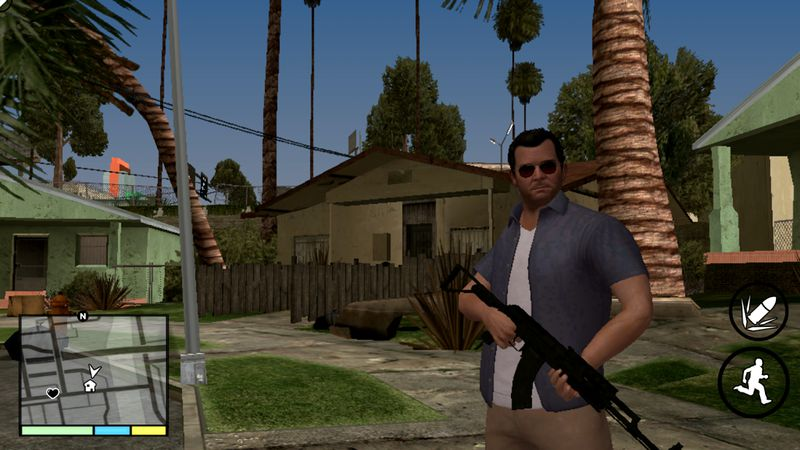
Downloading a modification starts with selecting the correct Grand Theft Auto game. Visit the official GTAinside website and browse the available categories. Choose the title you want to customize, then explore sections such as vehicles, graphics, characters, maps, or other available content. Using specific searches can save time and help you locate modifications that match your interests.
Once you find an interesting project, open its individual page and examine the description, screenshots, creator information, and installation requirements. Check whether the file supports your game version and whether additional tools are necessary. Use the legitimate download option provided by the website, and avoid unrelated advertisements or suspicious buttons that redirect you to unfamiliar services.
After downloading, scan the file with reputable security software before opening or extracting it. Keep a record of the modification name and its installation instructions so you can identify it later if something goes wrong. Remember that community-created files are not automatically guaranteed to be safe, compatible, or supported by the original game developer.
How to Install GTAinside Mods Step by Step
Installing modifications requires more care than downloading them because different GTA games use different file structures. Some modifications replace existing vehicles or textures, while others introduce scripts that depend on additional software. Reading the creator’s installation instructions before making changes is essential, especially when modifying an older game installation.
Before starting, create a backup of your original game files whenever possible. Install one modification at a time and test the game before adding another. This approach makes troubleshooting easier because you can identify which modification caused a problem. If the game becomes unstable, removing the recently installed files or restoring your backup may help return the installation to its previous condition.
Installing GTA 5 Mods on PC
Compatible PC versions of GTA 5 support several modification methods. OpenIV is commonly used to manage certain game archives and replacement files, while Script Hook V supports particular script-based modifications. Some projects also require additional libraries or dependencies, so users should carefully check the creator’s instructions before installing anything.
Game version compatibility is particularly important because updates can affect whether older modifications continue working. Keep single-player modifications separate from GTA Online and avoid using unauthorized tools in multiplayer sessions. Always create backups before changing original files, and never assume that a modification designed for offline gameplay is permitted in online environments.
Installing GTA San Andreas and Vice City Mods
San Andreas modifications can involve vehicle replacements, character models, textures, and CLEO scripts. Some files require compatible installation tools, while others involve placing replacement files into particular game directories. The correct procedure depends on the modification type and the specific game edition being used.
Vice City modifications also have different installation requirements. Vehicle and texture replacements may involve changing existing game assets, while other projects require additional software. Users should verify file compatibility and follow the creator’s instructions carefully. Installing incompatible files can cause missing textures, broken vehicles, or unexpected crashes, so maintaining original backups is strongly recommended.
Is GTAinside Safe and Legitimate to Use?
GTAinside is a recognized resource within the Grand Theft Auto modification community, but users should still evaluate individual downloads carefully. A platform’s popularity does not automatically guarantee that every file uploaded by community members is safe. Different creators may provide modifications with varying levels of quality, compatibility, documentation, and technical support.
Before downloading, review the project description and available community feedback. Avoid files that request unnecessary account credentials, suspicious applications, or unexpected payments. Scan downloaded archives and executable files using reputable security software. Never provide your Rockstar, Microsoft, or other gaming account passwords to unofficial services claiming to unlock special modification features.
Another important consideration is compatibility. A modification created for an older release may not work correctly with a newer version of the game. Some projects also require additional components that are not included in the download. Checking these details before installation can reduce technical problems and help protect your computer.
GTAinside for Beginners: Tips for Finding the Best Mods
Beginners should start with a specific goal rather than downloading random modifications. If you want better vehicles, search for vehicle categories and review available screenshots. If graphics are your priority, compare visual examples and check the system requirements. Specific searches make it easier to discover relevant projects without spending unnecessary time browsing unrelated content.
Read descriptions carefully and look for installation requirements, creator information, supported game versions, and user feedback. Avoid installing several modifications simultaneously because conflicts can make troubleshooting difficult. Start with one project, follow the instructions, and test the game before adding additional content. Keeping a backup of original files is one of the most useful habits for anyone beginning their modding journey.
Common GTAinside Download and Installation Problems
Even carefully selected modifications can sometimes create technical issues. Common problems include broken textures, missing vehicles, unexpected crashes, and scripts that fail to load. These issues can result from incompatible game versions, missing dependencies, incorrect installation paths, or conflicts between different modifications.
If a download link does not work, check whether the original source is available and avoid downloading the same file from suspicious websites. If your game crashes after installing a modification, remove the most recently added files and test the original installation. For broken vehicles or missing textures, compare the installation directory and file names with the creator’s instructions.
Script and CLEO modifications may also fail when required components are missing or incompatible. Verify the supported game version and dependencies before attempting another installation. Installing modifications individually is usually the easiest way to identify the source of a technical problem without unnecessarily changing other game files.
GTAinside vs. Other GTA Mod Websites
GTAinside is not the only destination for Grand Theft Auto modifications. Several websites provide community-created content, but their game coverage, organization, and available features can differ. Comparing these resources can help players discover suitable projects and identify alternative places to explore when a particular modification is unavailable.
GTA5-Mods.com focuses heavily on GTA 5 content, including vehicles, scripts, graphics, and other modifications. Nexus Mods provides a broader gaming modification community covering many different titles. ModLand also offers downloadable content across multiple games and categories. Each platform has its own organization and community features, so users should compare individual projects rather than assuming every website offers identical content.
GTAinside is particularly interesting for players who enjoy several generations of Grand Theft Auto. Its coverage of GTA 5, GTA 4, San Andreas, Vice City, and GTA 3 provides access to different modification communities through one destination. Regardless of the website selected, checking creator information, compatibility, and download safety should remain a priority.
Can You Use GTAinside Mods on Android, Xbox, and PlayStation?
Platform compatibility is essential when choosing a modification. A file designed for a PC installation cannot automatically work on an Android phone or gaming console. Each platform uses different software requirements, file structures, and security restrictions, so users must confirm that a particular project supports their exact game edition.
Some Android versions of GTA San Andreas support community-created modifications through compatible tools and methods. CLEO-based modifications are one example, although availability depends on the Android edition, required software, and individual file compatibility. Users should avoid unknown applications and unnecessary permission requests when exploring mobile modifications.
Traditional third-party modifications are not officially supported through standard retail GTA V installations on Xbox One, Xbox Series X|S, or PlayStation consoles. These platforms use controlled environments that restrict access to game files. Players should therefore check platform requirements before downloading anything and avoid assuming that a PC modification will work on a console.
Best Practices for Using GTAinside Mods in 2026
A successful modification experience begins with choosing files carefully. Use the official website address, review individual descriptions, and verify compatibility before downloading. Be cautious of imitation websites, suspicious redirects, and advertisements promising guaranteed access to premium content or unlimited in-game currency.
Back up original game files before installing modifications and maintain a record of everything you add. Keep track of modification names, creators, dependencies, and installation locations. This makes it easier to reverse changes or identify conflicts when a game stops working. Regularly checking compatibility after official updates can also prevent unnecessary installation problems.
Players should pay particular attention to online gaming restrictions. Keep modifications intended for single-player gameplay separate from GTA Online, and avoid unauthorized tools that provide unfair multiplayer advantages. Following creator instructions, respecting platform rules, and using reputable security software can help protect your gaming experience while allowing you to explore community-created content responsibly.
Conclusion
GTAinside provides a useful starting point for Grand Theft Auto enthusiasts who want to explore community-created vehicles, graphics enhancements, character modifications, maps, scripts, and other creative additions. Its coverage of GTA 5, GTA 4, San Andreas, Vice City, and GTA 3 makes it relevant to players who enjoy both modern and classic entries in the franchise.
However, downloading a modification is only the beginning. Users should verify game compatibility, follow installation instructions, scan downloaded files, and create backups before changing original content. Not every community-created project is guaranteed to be safe or compatible, so careful research remains essential. Choosing appropriate resources can help prevent technical problems and unnecessary security risks.
Whether you want realistic vehicles, improved graphics, custom characters, or additional gameplay features, GTAinside can help you discover projects from the wider Grand Theft Auto modding community. Explore responsibly, choose modifications that match your game version, and enjoy a more personalized gaming experience.
Frequently Asked Questions
What is GTAinside?
GTAinside is an online database where players can discover community-created modifications for several Grand Theft Auto games.
Is GTAinside free to use?
The website provides access to many free community-created modifications, although individual download conditions may vary.
Is GTAinside safe for downloading GTA mods?
Check individual files, review creator information, and scan downloads because community content is not automatically guaranteed to be safe.
Can I download GTA 5 mods from GTAinside?
Yes, GTA 5 modifications are available for compatible installations, particularly PC versions.
Does GTAinside support GTA San Andreas mods?
Yes, players can explore San Andreas modifications, including vehicles, graphics, characters, and other community-created content.
You May Also Read: Best GTA V Mods